


Win Words: Crosswords Game
4.6304.00 Reviews
App Specs
- Version
- 2.1
- Updated On
- License
- Free
- Downloads
- 50,000+
- Developer
- Bear Hug Entertainment Limited
- Categories
- Word
- Platform
- Android
Screenshots
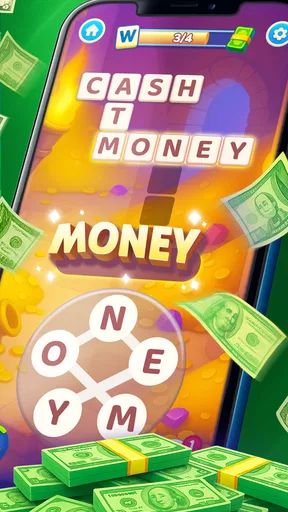
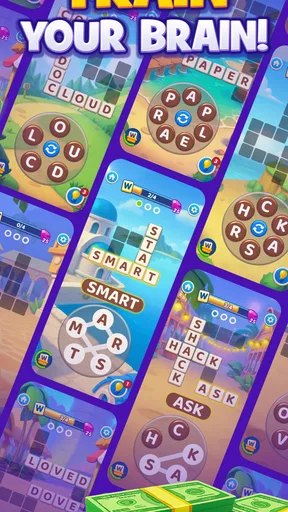
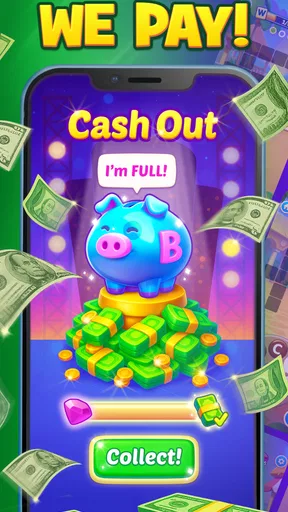

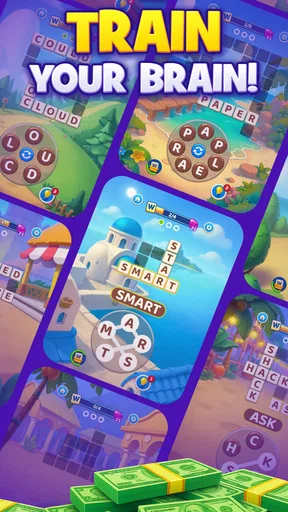
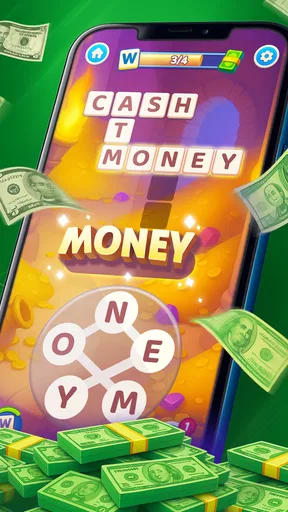
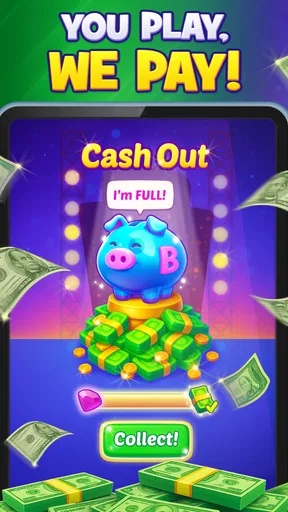
 Analysis by AppCompare
I found Win Words: Crosswords Game most interesting as a short, repeatable word-game session rather than as something I would hand to everyone in the household without a second thought. It is a free word game from Bear Hug Entertainment Limited, built around collecting and making connections in a crossword-style format, with rewards forming part of the appeal. That combination gives it a different feel from a plain offline crossword book: there is a reason to keep returning, but there is also more to consider when several people use the same phone or tablet.
My first impression was that the game is easy to understand at a basic level. You look for relationships between words, make choices, and try to progress through the puzzle flow. The familiar word-game foundation makes it approachable for someone who already enjoys crosswords, anagrams, or daily vocabulary challenges. At the same time, the reward angle means I would not describe it as purely relaxing. Even when the puzzle itself is simple, the surrounding goal can encourage you to think about progress, timing, and whether another round is worth your attention.
How Win Words works in a shared household
The most realistic use case for me is a shared-device moment: one person finishes a puzzle while waiting for dinner, then another family member picks up the phone later and wants to try. Because the game belongs to the word-puzzle category, it does not require the same kind of continuous coordination as a multiplayer action game. A parent, partner, or older teenager can take a turn when convenient, and the next person can approach the puzzles at their own pace.
That flexibility is useful, but I would still establish a simple household rule before treating it as a communal game. Decide whether the device is being used by one main player or whether people are taking turns. In a word game connected with progress and rewards, a casual “I’ll just try one” can easily become an accidental change to someone else’s run. The safest arrangement is for each person to use their own device or to agree clearly that the game has one shared player.
This matters more than it would with a paper crossword. A printed puzzle can be passed around without changing anyone’s personal record. A digital game may connect progress to the person who started it, so shared use can blur ownership even when the game itself is simple. I would not let younger household members experiment on an adult’s active session, especially if the adult is carefully working toward a reward.
For a couple or a group of adults, the game can work well as a low-pressure challenge. One person may spot a connection quickly while another is better at noticing less obvious word relationships. Instead of grabbing the device and solving everything, I found it more enjoyable to give hints: point out a possible letter pattern, ask what word family might fit, or suggest looking at the puzzle from another angle. That keeps the shared session social without turning it into a race.
What to settle before installing it
Since the game is free, the financial barrier to trying it is low. That does not mean every household should install it automatically on a shared phone. I would first check who will play, which account or device will hold the progress, and whether the intended user is old enough for the listed Mature 17+ content rating. The rating is especially important when the device belongs to a family and is regularly passed between adults and children.
Worth Reading Before You Choose

EA SPORTS FC Mobile 26 Is a Bigger Football Game, but It Takes Time

Flipboard Shows What News Apps Must Do Beyond the Feed

Switching to Android Auto Means Rethinking Your Driving Routine

Google Calendar Makes a Crowded Week Easier to Manage

Ludo King Makes the Most of the Minutes Between Plans

Baby Panda World Brings Quick Play to Modern Phones, but Its Game Library Feels Busy
I would also make the first session a private setup check rather than immediately inviting everyone to play. Look at how the opening flow feels, identify where progress appears to be stored, and make sure the intended player understands which device they should use. This is a practical boundary, not a criticism of the game. Shared devices become confusing when several people assume the app will automatically separate their activity.
The game runs on an operating system starting with version 9, which makes it accessible on a range of older compatible devices. Even so, compatibility alone does not settle whether an old phone is a good shared device. A small screen can make word connections harder to inspect, and a tired battery can turn a relaxed puzzle session into an interruption. I would use the larger, clearer screen in the home if several people are expected to participate, while keeping a personal device for individual play.
The current version is 2.1. For me, that places the game in a stage where I would pay attention to how smoothly it fits into my routine rather than assuming every household detail has already been solved. A version number is not a promise about a particular feature, so I would judge the actual experience on the device being used: loading, readability, progress continuity, and whether the reward presentation feels clear enough for everyone sharing the screen.
Keeping progress and rewards from becoming a household argument
The reward element changes the way I would coordinate play. If one person is simply solving for fun, taking turns is casual. If another person is focused on earning rewards, the session becomes more personal. I would avoid mixing those goals on one device. The relaxed player may spend opportunities freely, while the more committed player may want to plan every move. Neither approach is wrong, but they do not belong comfortably in the same progress path.
A useful routine is to announce whose turn it is before opening the game and to stop at a natural point rather than handing over the device mid-puzzle. That small habit prevents two common problems: someone else solving the clue you were considering, and someone changing the direction of a reward-focused session without realizing it. It also makes the game feel like a shared activity instead of an app that people quietly fight over.
I would not promise children that playing will produce a particular outcome. The store positioning connects the game with real rewards, but a household conversation should keep expectations grounded. Treat the word puzzles as the main activity and any reward as a separate possibility governed by the game’s own rules. That wording protects trust, especially with younger players who may interpret “win” more literally than an adult does.
For adults sharing one device, a simple note outside the app can help: whose session is active, whether the person is playing casually, and whether anyone should wait before continuing. It sounds overly careful for a crossword game, but it becomes worthwhile when progress matters. I prefer this approach to guessing, because the game does not need to carry the entire burden of household organization.
Age, trust, and the right player
The Mature 17+ rating is the clearest reason I would keep this away from unsupervised younger users. I would not interpret the familiar crossword format as evidence that the whole experience is suitable for children. A word puzzle can look harmless while its broader presentation, reward framing, or surrounding content may be intended for older players. The responsible choice is to follow the rating rather than judging the game only by its letters and grids.
This also affects shared tablets in homes where adults and teenagers use the same profile. I would not assume that a teenager can safely browse or play simply because an adult installed the game. The person who owns the device should decide whether the rating fits the actual user, and should explain that shared access does not automatically mean shared permission. That is a better boundary than hoping the app will distinguish everyone correctly on its own.
Trust is important because reward-oriented games can create pressure. I like word puzzles as a way to slow down and think, but I would be cautious if a player starts treating every session as something they must complete. In a household, the healthiest approach is to keep the game optional, avoid promising earnings, and stop when the activity no longer feels enjoyable. This is particularly important when a younger person is watching an adult play and assumes the same expectations apply to them.
For an adult who enjoys vocabulary challenges, the game is a more natural fit. Someone who wants a quiet brain teaser during a commute, a break, or a waiting-room visit may appreciate the compact structure. Someone who dislikes reward mechanics, prefers completely offline puzzles, or wants a long uninterrupted crossword with no surrounding incentive may be happier with a traditional crossword app or a paper puzzle book.
Where it differs from ordinary crossword alternatives
Compared with a paper crossword, Win Words offers a more guided and repeatable digital routine. I do not need a pencil, an eraser, or a place to keep a half-finished page. That convenience makes it better for brief sessions and shared conversations. The trade-off is that paper gives me complete control over the pace and ownership of the puzzle, while a digital reward structure can make the experience feel more goal-driven.
Compared with a standard crossword app focused mainly on clues and grids, this game puts more emphasis on making connections and collecting progress. That can be more welcoming when a full newspaper-style crossword feels intimidating. It can also be less satisfying for an expert solver who wants dense clues, broad thematic construction, and the feeling of completing a substantial puzzle in one sitting.
Compared with an anagram game, the appeal here is not only rearranging letters as quickly as possible. I found the connection-based approach better for players who enjoy noticing relationships and building toward a result. If your favorite word-game habit is rapid-fire scoring, this may feel slower. If you prefer looking at a set of possibilities and thinking through how they fit, the format is more likely to hold your attention.
The free price makes experimentation straightforward, but I would still compare the game by how it uses my attention rather than by the download cost alone. A free app can be a poor fit if its reward focus makes me check it compulsively or if shared-device boundaries become annoying. On the other hand, for someone who wants occasional word puzzles and can keep the session in perspective, the low entry cost is a genuine advantage.
Small habits that improve the experience
My first practical tip is to separate solving from household coaching. When another person asks for help, give a clue about the relationship they should look for instead of supplying the answer. This preserves the central satisfaction of making the connection and lets the game work as a cooperative vocabulary exercise. It is especially useful when an experienced player is sharing the device with someone who is less confident.
My second tip is to use a stopping point. Finish the current puzzle, note whose turn it is, and close the game rather than leaving an unfinished session open for the next person. This protects both concentration and progress ownership. It also makes the app easier to fit into a busy home, where the same phone may be needed for messages, navigation, or other tasks.
My third tip is to judge the reward system by clarity, not excitement. Before encouraging anyone else to play, make sure they understand what they are working toward and that they are not treating ordinary play as guaranteed income. If the reward language becomes the only reason someone wants to continue, I would steer them toward the puzzle itself or choose a less incentive-driven alternative.
A fourth useful approach is to give the game a defined role. I would use it as a short break, a quiet evening challenge, or a cooperative activity between adults, not as an automatic solution for boredom in children. That distinction keeps the app from becoming a default screen-time filler and makes its word-game strengths easier to appreciate.
Who should choose it, and who should skip it
I would recommend trying it to an adult who enjoys crossword-style thinking but wants something more compact and digitally guided. It is also a reasonable choice for two adults who want to compare answers, exchange hints, and take turns without needing a live multiplayer match. The average rating of 4.6 from around 5.2 thousand ratings suggests that many players have responded positively, while the install count of over 50 thousand shows that it has reached a meaningful audience without making it feel unavoidable.
I would be more cautious with a household looking for a child-friendly shared game. The Mature 17+ rating alone makes it unsuitable as a casual family recommendation, regardless of how innocent the word format may appear. I would also skip it if my priority were a completely independent experience for multiple people on one tablet. Without a clearly planned account boundary, shared progress can become more trouble than the puzzle is worth.
I would choose a conventional crossword app instead if I wanted clue-heavy solving, a large puzzle archive, or a more traditional newspaper feel. I would choose a paper book if I wanted zero account confusion and a puzzle that can be passed around freely. I would choose a faster anagram game if I wanted quick reflexive rounds. Win Words makes the most sense when its connection-based solving and reward-oriented progression are precisely what I want.
My household verdict
After looking at it as both a word game and a shared-device app, I see a useful but specific fit. Its strongest quality is the way it turns familiar crossword thinking into a repeatable digital activity that can be played alone or discussed with another adult. The format is approachable, the free price removes the initial commitment, and the reward angle gives returning players an extra reason to continue.
Its main limitation is not the basic puzzle idea; it is the need for sensible boundaries. I would keep sessions attached to a clearly identified player, avoid making promises about rewards, and respect the Mature 17+ rating. Those steps are especially important in a home where one phone or tablet moves between people. The game can support shared enjoyment, but it should not be mistaken for a built-in family account system or a children’s activity.
Bear Hug Entertainment Limited has made something I can imagine opening for a few focused minutes, particularly when I want wordplay without carrying a book. I would recommend it to the right adult player rather than to every member of the household. If you enjoy connections, crossword-style progress, and a reward-minded structure, it is worth trying. If you want traditional crossword depth, fully separate profiles, or a clearly child-oriented experience, another option will serve you better.
My final advice is simple: treat the puzzles as the entertainment, keep the reward expectations realistic, and decide whose progress belongs to whom before sharing the device. With that approach, Win Words can be a pleasant addition to an adult word-game routine instead of a source of confusion at home.
Pros
- Relaxing gameplay suitable for short or extended sessions.
- Helpful hints make difficult puzzles more approachable.
- Clean interface keeps the focus on solving words.
- Progress tracking encourages regular play.
- Works well for casual players and crossword beginners.
Cons
- Some puzzles may feel repetitive after extended play.
- Hints can reduce the challenge for experienced players.
- Ads may interrupt the flow between puzzles.
- Difficulty progression may not suit advanced crossword fans.
- Requires patience when answers depend on obscure vocabulary.
FAQs for Win Words: Crosswords Game
What is Win Words: Crosswords Game?
Win Words: Crosswords Game is a word puzzle app built around crossword-style challenges. Players complete grids by forming words from the available letters, usually progressing through increasingly difficult levels. The game is designed for short sessions as well as longer play, making it suitable for users who enjoy vocabulary games, spelling challenges, and relaxing brain-training activities on Android or iOS devices.
How do you play Win Words: Crosswords Game?
Gameplay generally involves reviewing the letters provided at the bottom of the screen and swiping or tapping them in the correct order to complete words in the crossword grid. Some solutions are straightforward, while others require experimenting with different combinations or finding less obvious words. As you advance, larger grids and more challenging puzzles test both vocabulary and problem-solving skills.
Can Win Words: Crosswords Game be played offline?
Many crossword games allow at least part of their content to be played without a continuous internet connection, but offline availability can depend on the version, device, and features being used. Core puzzles may remain accessible after they have loaded, while advertisements, cloud synchronization, rewards, updates, or special events may require internet access. Check the store description before downloading if offline play is essential.
Is Win Words: Crosswords Game free to download?
Win Words: Crosswords Game may be available as a free download, although free access can include advertising, optional purchases, or limitations on certain resources and bonuses. In-app purchases may offer hints, additional coins, ad removal, or other conveniences. Before installing, review the Google Play or App Store listing for the current pricing model and confirm that purchase restrictions are enabled if children use the device.
Is Win Words: Crosswords Game suitable for all ages?
The basic word-puzzle format is generally appropriate for a broad audience, including adults and older children who can read and spell independently. However, difficulty, vocabulary, advertisements, and optional purchases may vary by version. Parents should check the official age rating, privacy information, and in-app purchase settings before allowing younger players to use the app, particularly if the game includes online features or personalized advertising.


